Tag: WhatsApp CRM

  • Multi-Agent WhatsApp Inbox: How Your Whole Team Can Reply from One Number

    Multi-Agent WhatsApp Inbox: How Your Whole Team Can Reply from One Number

    One phone, one WhatsApp number, and a growing pile of customer messages: this is how many small businesses start. It works until the phone is with someone who is off sick, on holiday, or simply busy, and then messages sit unanswered. A multi-agent WhatsApp inbox solves this by letting the whole team reply from the same number, each from their own computer or phone. Customers still message one business number, but behind it several people share the work. This guide explains what a shared team inbox is, how chat assignment, internal notes, and permissions work, and when a business needs one.

    What Is a Multi-Agent WhatsApp Inbox?

    A multi-agent inbox is a shared WhatsApp inbox where several team members can see and answer messages from one business number. Unlike the WhatsApp Business app, which lives on one phone, a shared inbox is usually part of a CRM and runs on the web. Each agent signs in with their own account, sees the list of conversations, and replies as the business. The customer sees only the business name and number, not which agent is typing. If you are new to the tools involved, our guide to what WhatsApp CRM software is explains the shared inbox and the other features that sit around it. A shared inbox is the feature that turns WhatsApp from one person’s phone into a team system.

    How Chat Assignment Works

    Assignment decides who answers each conversation. A new chat can be assigned automatically, for example to the agent who is online, to the person who handles sales, or in turn to whoever is free. It can also be assigned by hand, when a manager sees a message and passes it to the right person. Once a chat is assigned, it shows as that agent’s responsibility, and the rest of the team can see who owns it. If the assigned agent is away, the chat can be reassigned without losing the history. Good assignment rules matter most when message volume is high, because they stop chats from falling through the cracks. Automation can help here too, as explained in our guide to how to automate WhatsApp messages with a CRM.

    Internal Notes and Team Collaboration

    Internal notes let the team talk about a conversation without the customer seeing it. An agent can leave a note saying that a customer is waiting for a price, that a delivery is delayed, or that a manager should take over. Notes stay attached to the conversation, so the next person who opens it knows what has already happened. This is especially useful when a conversation passes between teams, for example from sales to support, or when a shift ends and someone else takes over. Without notes, each agent has to ask the customer to repeat everything, which is slow and frustrating for everyone.

    Two business people discussing work together at a desk
    A shared inbox lets the whole team work from one number, with notes and assignments keeping everyone aligned.

    Avoiding Duplicate Replies

    Duplicate replies happen when two people answer the same customer at the same time, often with different answers. A shared inbox prevents this in a few ways. When an agent opens a conversation, the others can see that it is being handled. Some inboxes show a typing indicator, so a colleague knows a reply is on its way. Chats that are assigned to one person are marked as owned, so others do not jump in. These small signals make a big difference: customers get one clear answer instead of two conflicting ones, and the team does not waste time doing the same work twice. Online stores, where support questions arrive all day, feel this benefit quickly, as covered in our article on WhatsApp CRM for e-commerce.

    Permissions and Roles

    Not everyone on the team needs the same access. Permissions control who can see which conversations, who can send broadcasts, and who can change settings. A manager might see every chat, while a new agent sees only their own. Some inboxes let you restrict sensitive conversations, such as billing or complaints, to senior staff. Roles also help with accountability: it is clear who answered what and when, which makes it easier to review quality and to help an agent who is struggling. For clinics, where patient messages need careful handling, limited access is especially important, as explained in our guide to WhatsApp CRM for healthcare. Set permissions early, and review them when the team changes.

    When Does a Business Need One?

    A business needs a multi-agent inbox when one person can no longer keep up with the messages, or when messages are missed because the phone is with the wrong person. The signs are easy to spot: customers wait hours for replies, the same question gets answered twice, or nobody knows whether a message was answered at all. A shared inbox also helps when the business wants to measure reply times, or when a team works in shifts. Most shared inboxes need the WhatsApp Business API, because the app on one phone cannot support several agents properly. Our guide to how the WhatsApp Business API works with CRM integration explains how that connection is set up. If you are still choosing a tool, our guide to the best WhatsApp CRM software for small businesses covers what to look for.

    Frequently Asked Questions

    Can several people reply from the same WhatsApp number?

    Yes, with a multi-agent inbox connected through the WhatsApp Business API. Each agent signs in separately, and customers still message the same business number.

    Will customers know which agent is replying?

    Usually not, unless the agent signs their message. Customers see the business name and number, and the team works behind the scenes.

    How do I stop two agents answering the same message?

    Use assignment, so each chat has one owner, and let agents see when a colleague is already typing or handling a conversation.

    Do I need the WhatsApp Business API for a shared inbox?

    In most cases, yes. The WhatsApp Business app is built for one phone, while a shared inbox with several agents needs the API connection.

    Conclusion

    A multi-agent WhatsApp inbox turns one business number into a team system. Chat assignment makes sure every message has an owner, internal notes keep the history visible, and permissions protect sensitive conversations. Duplicate replies disappear, reply times improve, and no message is lost when someone is away. If your team is sharing one phone, or messages are being missed, a shared inbox is the next step.


    Read Next

  • WhatsApp CRM for Healthcare: Appointment Reminders and Patient Follow-Ups

    WhatsApp CRM for Healthcare: Appointment Reminders and Patient Follow-Ups

    Clinics run on appointments, and missed appointments waste everyone’s time. The patient loses a slot they needed, the clinician sits idle, and the front desk spends the day on the phone trying to reschedule. Most patients already use WhatsApp every day, so it is a natural place to book, remind, and follow up. A WhatsApp CRM keeps those conversations organised, so nothing is missed and no patient is forgotten. This guide explains how healthcare practices use WhatsApp CRM for appointment reminders and patient follow-ups, and the privacy rules that must come first.

    Why WhatsApp Works for Clinics

    Patients rarely answer unknown phone calls, and emails about appointments often go unread until it is too late. WhatsApp messages are usually read quickly, and patients can reply in their own time. That makes it a good channel for the short, practical messages a clinic sends every day: confirming a booking, sharing directions, or asking a patient to bring a previous report. For the clinic, the benefit is organisation. Instead of one receptionist’s phone holding every conversation, a CRM keeps patient chats in a shared inbox, attached to each patient’s record, so any team member can see the history and help. If you are new to the tools involved, our guide to what WhatsApp CRM software is explains the shared inbox and contact records that make this work.

    Appointment Booking on WhatsApp

    Booking starts when a patient messages the clinic, often from a click-to-chat link on the website or a QR code in the waiting room. The front desk asks for the reason for the visit, offers the available slots, and confirms the booking, all in the same chat. The CRM can record the patient’s name, the appointment time, and the clinician, so the booking is not lost in a chat thread. Some clinics also use a simple automated greeting that asks the patient what they need and collects their details before a person replies. The key is to keep booking simple: a patient who has to answer many questions before getting a time may give up and call another clinic.

    Appointment Reminders That Reduce Missed Visits

    Reminders are the most valuable messages a clinic sends. A reminder the day before, and another on the morning of the appointment, with the date, time, clinician name, and address, helps patients plan their day. Asking the patient to confirm or reschedule with a single reply makes the reminder useful instead of one-way. When a patient replies that they cannot come, the slot can be offered to someone on a waiting list, which keeps the schedule full. Clinics often set these reminders up as automated workflows, as explained in our guide to how to automate WhatsApp messages with a CRM. Reminders should be sent at sensible hours, and patients should always be able to opt out of non-essential messages.

    A doctor in a white coat holding a stethoscope
    WhatsApp helps clinics stay in touch with patients between visits.

    Follow-Up Care Messages

    Follow-up messages after a visit show patients that the clinic cares, and they catch problems early. A short message the day after a treatment, asking how the patient feels, or a reminder to take prescribed medicine, can be sent automatically and recorded in the patient record. For ongoing care, such as physiotherapy, a reminder to do home exercises or to book the next session keeps the treatment on track. Follow-ups should be brief, supportive, and easy to answer. If a patient reports a problem, the message should be passed to a clinician quickly, not left in an automated queue. A multi-agent WhatsApp inbox helps here, because any available team member can pick up the conversation.

    Use Cases: Dentists, Physiotherapists, and Clinics

    Dentists use WhatsApp CRM for six-month check-up reminders, for confirming cleaning appointments, and for following up after a procedure. Physiotherapists use it to remind patients of their sessions and to check on home exercises between visits. General clinics use it for vaccination reminders, test result notifications that say only that results are ready, and for annual check-up invitations. In each case, the pattern is the same: book, remind, follow up. Broadcasts can also be used to tell patients about a new service or a change in opening hours, as explained in our comparison of WhatsApp broadcast vs groups for business, but only to patients who have agreed to receive such messages.

    Privacy: What Not to Share on Chat

    Privacy is the most important rule for healthcare on WhatsApp. Patient messages should never include sensitive medical details, test results, diagnoses, or prescriptions sent as plain chat messages. WhatsApp is a messaging app, not a secure medical record system, and chat histories can be seen by anyone with access to the phone or the inbox. Clinics should share only practical information on chat, such as appointment times and reminders, and direct patients to a secure portal or an in-person visit for anything medical. Staff should also be trained on who can see patient chats, and access should be limited to the people who need it. Patients should be told clearly what the clinic will and will not send on WhatsApp, and their consent should be recorded.

    Frequently Asked Questions

    Is it okay to send appointment reminders on WhatsApp?

    Yes, if the patient has agreed to be contacted on WhatsApp. Keep reminders short and practical, and always offer an easy way to confirm, reschedule, or opt out.

    Can a clinic share test results on WhatsApp?

    No, it is better not to. Tell the patient that results are ready and ask them to collect them through the clinic’s secure channel or in person.

    How do reminders reduce missed appointments?

    Patients often miss appointments because they forget or because plans change. A reminder the day before, and one on the morning of the visit, gives them time to confirm or reschedule.

    Do small clinics need a CRM for WhatsApp?

    A small clinic can start with the WhatsApp Business app, but a CRM becomes useful as soon as several staff members handle patient messages, because it keeps every conversation and appointment in one place.

    Conclusion

    WhatsApp CRM helps clinics book appointments, remind patients, and follow up on care, all in the channel patients already use. The gains come from simple habits: confirm bookings in writing, remind patients at sensible times, follow up after visits, and keep the schedule full by filling cancelled slots quickly. Privacy must come first, so keep medical details off chat and limit who can see patient conversations. Done this way, WhatsApp becomes a reliable part of the clinic, not a risk.

    Read Next

  • WhatsApp CRM for E-commerce: How to Increase Sales and Repeat Orders

    WhatsApp CRM for E-commerce: How to Increase Sales and Repeat Orders

    An online store has a problem that a physical shop does not: customers can leave without saying a word. They browse, add items to a cart, and disappear. Or they have a question about size, delivery, or payment, and nobody answers it in time. WhatsApp CRM software helps e-commerce stores fix both problems. It turns WhatsApp into a sales and support channel, with cart recovery chats, order updates, quick support, and repeat purchase campaigns, all tied to the customer record.

    Why WhatsApp Works So Well for Online Stores

    Online shoppers are usually on their phones, and WhatsApp is already on those phones. A question asked on WhatsApp gets an answer far faster than one sent by email, and the conversation feels personal, like talking to a shop assistant. That matters because online shopping is full of small moments of doubt: is this the right size, will it arrive in time, can I return it? A fast, friendly answer at the right moment is often what turns a browser into a buyer. If you are new to the idea, our guide to what WhatsApp CRM software is explains the shared inbox and contact records behind it.

    Abandoned Cart Recovery Chats

    Abandoned carts are a normal part of online shopping. A customer adds items, gets distracted, or wants to think about it, and the order is never finished. A short WhatsApp message a few hours later can bring them back, especially if it is helpful rather than pushy. A good recovery message reminds the customer what they left behind, answers the most likely worry, such as delivery time or returns, and offers a simple way to complete the order. It should be sent only to customers who have agreed to be contacted, and it should stop if the customer finishes the order or asks not to be messaged. For the automation behind these reminders, see our guide to how to automate WhatsApp messages with a CRM. The message itself does the work, but timing and tone decide whether it feels helpful or annoying.

    Order Updates That Reduce Support Messages

    Many support messages are simply customers asking where their order is. A WhatsApp CRM can answer that question before it is asked, by sending order updates automatically: the order is confirmed, it has shipped, and it has been delivered. Each update is short, includes the order number, and tells the customer what happens next. This does two things. It reassures the customer, and it cuts the number of “where is my order” messages the team has to answer, freeing them for the questions that really need a person. Customers who get clear updates are also more likely to trust the store and buy again.

    Customer Support on WhatsApp

    Support on WhatsApp works because it is fast and the history is visible. When a customer writes about a faulty item or a late delivery, the team can see the order and the earlier messages at once, so the customer does not have to explain everything again. Quick replies help with common questions, such as return policies or delivery areas, and more complex cases can be passed to the right person. The aim is to solve the problem in the chat, or to give a clear next step and a time for it, rather than asking the customer to email or call instead.

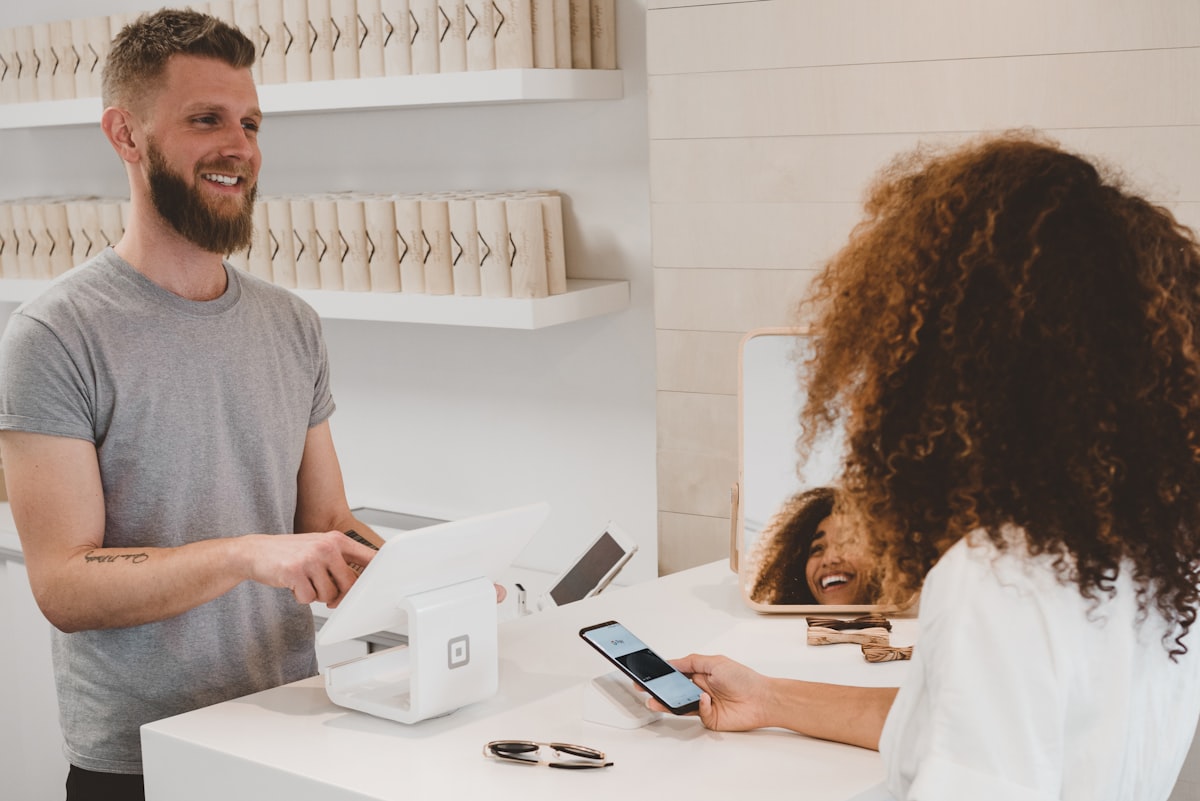
    A customer paying by card at checkout, as part of an online store order
    Clear order updates and quick answers turn one-time buyers into repeat customers.

    Repeat Purchase Campaigns

    Repeat orders are often cheaper to win than new ones, because the customer already knows the store. A WhatsApp CRM helps with this in two ways. First, it shows what each customer bought and when, so the store can suggest a refill, a matching item, or a seasonal offer at the right time. Second, it lets the store send short campaigns to customers who have agreed to hear from it, for example about a restock, a new collection, or a loyalty offer. These campaigns work best when they are relevant and infrequent. A message about a product the customer actually buys is welcome; a daily message about everything is not. Our comparison of WhatsApp broadcast vs groups for business explains how to reach customers without overdoing it.

    Product Enquiries That Turn into Sales

    Many shoppers ask a question before they buy: does this come in another colour, will it fit, is it in stock? A WhatsApp CRM helps the team answer quickly, with photos, short videos, or a link to the exact product page. The conversation history shows what the customer asked before, so the reply can be personal. The team should also note what the customer decided, so a later follow-up can refer back to it. Small stores often find that these short chats are their best sales tool, because they remove the doubt that stops a purchase.

    Frequently Asked Questions

    Can WhatsApp really recover abandoned carts?

    It can help. A short, timely reminder often brings a customer back to finish an order, especially when it answers a likely worry such as delivery or returns. It works best when the customer has agreed to be contacted and the message is polite and useful.

    Should I send order updates on WhatsApp?

    Yes, if the customer has agreed to them. Short updates about confirmation, shipping, and delivery reassure customers and reduce support messages asking where an order is.

    How often should I message customers?

    Only when you have something useful to say, such as an order update, a reply to a question, or an offer that matches what they buy. Frequent messages that are not relevant lead to customers opting out.

    Do I need a CRM, or is the WhatsApp Business app enough?

    For a very small store, the app may be enough at first. A CRM becomes useful when message volume grows, more than one person answers, or you want cart recovery and campaigns linked to customer records. Our guide to the best WhatsApp CRM software for small businesses can help you decide.

    Conclusion

    For an e-commerce store, WhatsApp CRM is a practical way to sell more and keep customers coming back. Cart recovery chats bring back unfinished orders, order updates cut support work, quick support solves problems in the chat, and well-timed campaigns bring customers back for a second order. The common thread is simple: be fast, be relevant, and only message people who want to hear from you. Do that consistently, and WhatsApp becomes one of the store’s most useful sales channels.

    Read Next

  • WhatsApp CRM for Real Estate: How Agents Can Close More Deals

    WhatsApp CRM for Real Estate: How Agents Can Close More Deals

    In real estate, the agent who replies first often wins the client. A buyer sees a listing, sends a WhatsApp message, and waits. If the reply comes an hour later, they may already be talking to another agent. If it comes in a minute, with photos and a clear next step, that agent becomes their agent. WhatsApp CRM software helps real estate agents and agencies reply faster, follow up properly, and keep track of every lead, so fewer enquiries slip away and more deals close.

    Why Real Estate Runs on Fast Replies

    Property buyers and renters usually contact several agents at once. They are comparing options, and their attention moves quickly. Unlike email, which can sit unread for a day, WhatsApp messages are usually read within minutes, and customers expect a reply just as fast. For an agent, that means the first hour after an enquiry matters more than the rest of the week. A WhatsApp CRM makes fast replies possible even when the team is busy, because messages arrive in a shared inbox where anyone available can pick them up, and the customer’s details and earlier questions are visible at once.

    Lead Capture on WhatsApp

    Lead capture starts wherever buyers find you: a listing portal, your website, social media, or a signboard. A click-to-chat link or a QR code can send the buyer straight into a WhatsApp conversation with a short greeting already written. From there, the CRM records the lead automatically, with the property they asked about, the date, and their first message. If you are new to this kind of tool, our guide to what WhatsApp CRM software is explains the shared inbox and contact records that make this work. The important habit is to capture the lead in the CRM at the first message, not later, because leads recorded late are the ones that get forgotten.

    Property Enquiry Follow-Ups That Actually Work

    Most property enquiries need more than one message. A buyer asks about price, then about the area, then about viewing times, and each answer takes the conversation forward. The mistake agents make is stopping after the first reply. A good follow-up routine is simple: answer the question, send two or three relevant photos or a short video, and suggest a viewing time. If there is no reply, follow up once the next day with something useful, such as a similar property or a price update, and once more a few days later. The CRM keeps the history, so any agent can continue the conversation without asking the buyer to repeat themselves. For a deeper look at follow-up sequences, see our guide to how to automate WhatsApp messages with a CRM.

    Site-Visit Reminders

    Missed viewings waste everyone’s time. The agent travels, the owner prepares the property, and the buyer does not turn up. A short reminder on WhatsApp the day before, and another on the morning of the visit, reduces no-shows sharply. The reminder should include the address, the time, and a simple way to confirm or reschedule, so the buyer can reply with one tap. The CRM can send these reminders automatically from the viewing schedule, and it can also follow up after the visit with a short message asking what the buyer thought. That follow-up is often where the next step is agreed, whether it is a second viewing or an offer.

    A modern house exterior with a garden, the kind of property a real estate agent shows to buyers
    Fast replies and good follow-ups matter as much as the property itself.

    Broadcasts to Buyers

    Broadcasts let an agency tell interested buyers about new listings, price changes, or open-house days. The key is to send them only to people who have agreed to hear from you, and to keep the list relevant. A buyer looking for a two-bedroom flat does not want messages about large houses, so the CRM’s tags and lists matter: tag buyers by budget, area, and property type, and send each group only what fits. A short message with a photo and a link to the listing works better than a long description, and the agent should be ready to reply quickly to the responses that come back. Used this way, broadcasts become a steady source of viewings rather than a source of complaints.

    Pipeline Tracking for Agents and Agencies

    A pipeline is simply the list of where each buyer stands: new enquiry, viewing booked, second viewing, offer made, deal agreed. Without a pipeline, an agency relies on memory, and memory fails when the team is busy. A WhatsApp CRM shows the pipeline at a glance, so the agency can see which buyers need attention today and which deals are close to closing. It also helps the agency manager see who is following up and who is not, and where deals are getting stuck. For a small agency choosing its first tool, our guide to the best WhatsApp CRM software for small businesses explains what to look for.

    A Simple Daily Routine for Agents

    A good routine beats a complicated system. Each morning, the agent opens the CRM, replies to overnight messages, and checks today’s viewings. During the day, every new enquiry is answered, tagged, and given a next step. At the end of the day, the agent sends the follow-ups that are due and updates the pipeline. That routine, repeated daily, is what turns a busy inbox into closed deals. The software supports the routine, but the routine is what makes the software work.

    Frequently Asked Questions

    Can a single agent use WhatsApp CRM software?

    Yes. A single agent benefits from organised contacts, follow-up reminders, and a clear pipeline, even without a team. The shared inbox becomes useful as soon as a second person, such as an assistant or a colleague, starts helping.

    How do I get property leads on WhatsApp?

    Add click-to-chat links and QR codes to your listings, website, and social media, so buyers can message you in one tap. Make sure the first reply is fast and asks the buyer what they are looking for.

    Is it okay to send property broadcasts on WhatsApp?

    Only to people who have agreed to receive them, and only with messages that match their interests. Keep the list targeted by budget, area, and property type, and always offer an easy way to opt out.

    What should I track in a real estate pipeline?

    Track the buyer’s stage, the property they are interested in, their budget, and the next action and its date. That is enough to see who needs attention today and which deals are close.

    Conclusion

    Real estate is a business of fast replies and careful follow-ups, and WhatsApp is where most buyers want to talk. A WhatsApp CRM gives agents a shared inbox, organised contacts, reminders, broadcasts, and a clear pipeline, so no enquiry is forgotten and every buyer gets a next step. Start with fast replies, build a simple follow-up routine, and use broadcasts only for people who want them. Done consistently, that is how agents turn more conversations into viewings, and more viewings into closed deals.

    Read Next

  • WhatsApp CRM vs Traditional CRM: Key Differences Explained

    WhatsApp CRM vs Traditional CRM: Key Differences Explained

    Most businesses already have some way of keeping track of customers. For many, it is a traditional CRM: a database of contacts, deals, and emails. For others, especially smaller teams, the customer relationship now lives in WhatsApp chats. Both approaches aim at the same goal, which is to serve customers well and win repeat business, but they work in very different ways. This guide explains the key differences between WhatsApp CRM and traditional CRM, where each one works best, and how the two can work together.

    What Is a Traditional CRM?

    A traditional CRM is a system built around contact records, sales pipelines, and communication history, usually centred on email and phone calls. A salesperson logs calls, sends emails, updates deal stages, and managers review reports on the pipeline. Traditional CRMs are strong at organising long sales cycles, storing detailed records, and giving managers a clear view of the whole sales process. They were designed in a time when email was the main business channel, and they still work well for businesses that sell through formal quotes, proposals, and scheduled calls.

    What Makes WhatsApp CRM Different?

    A WhatsApp CRM starts from the conversation, not from the record. Customers message first, in a chat they already use every day, and the CRM organises those chats into a shared inbox with contact records behind them. The focus is on fast, informal, two-way messaging rather than on formal sales stages. If you are new to the idea, our guide to what WhatsApp CRM software is explains the basics, including the shared inbox, automation, and broadcasts.

    Key Differences Explained

    The differences below show up in daily work, not just in feature lists. They affect how fast customers get answers, how personal the service feels, and how much effort the team spends on admin.

    Communication Channel

    A traditional CRM is built around email and phone, which are formal and often slow. A WhatsApp CRM is built around instant messaging, which is informal and immediate. Customers are far more likely to read and reply to a WhatsApp message than to an email, and they can reply in seconds from their phone, without opening a laptop or searching for a message thread.

    Response Speed

    Speed is where the two differ most. Email replies are usually measured in hours or days, and that is often accepted. WhatsApp replies are expected within minutes, and customers notice when they wait. A WhatsApp CRM helps a team meet that expectation with a shared inbox, assignments, and quick replies, while a traditional CRM is not designed for that pace.

    A laptop showing a CRM analytics dashboard with charts and customer data
    Traditional CRMs are strong on reporting, while WhatsApp CRMs are strong on speed and conversation.

    Customer Experience

    The customer experience is different too. Email feels formal and distant, and customers often have to repeat themselves to different people. WhatsApp feels personal and continuous, because the whole conversation history is visible in one thread. Customers can send a photo, a voice note, or a location, and they can pick up the conversation days later without starting again.

    Automation

    Both types of CRM offer automation, but they automate different things. Traditional CRMs automate sales tasks such as follow-up emails, deal reminders, and reports. WhatsApp CRMs automate conversations: greeting messages, answers to common questions, chatbots that collect details, and broadcast messages. The best automation in either case removes repetitive work without making the customer feel ignored.

    Data and Records

    Traditional CRMs usually store more structured data, with custom fields, detailed deal histories, and rich reporting. WhatsApp CRMs store the conversation itself as the record, with contact details and tags alongside it. For many small businesses, the conversation history is the most useful record. For larger sales teams with long, complex deals, the structured data of a traditional CRM is hard to replace.

    Best Use Cases for Each

    WhatsApp CRM works best for businesses where customers prefer to chat: online stores, local services, clinics, schools, travel, and any business that takes orders or bookings by message. It is also best when the team is small and speed matters more than formal process. Traditional CRM works best for businesses with longer sales cycles, larger deals, and formal buying processes, such as business-to-business sales, where a deal moves through stages over weeks or months and several people are involved. Neither is right for every business, and the deciding factor is usually how your customers prefer to communicate and how complex your sales process is.

    Can They Work Together?

    Yes, and for many businesses this is the best answer. WhatsApp can be the front door, where customers ask questions and place orders, while a traditional CRM holds the full customer record, deal history, and reporting. Messages from WhatsApp can be logged against the contact record, and the sales team can use the CRM for quotes and follow-ups. This combined approach gives you fast conversations and solid records at the same time. If your team is choosing its first tool, our guide to the best WhatsApp CRM software for small businesses can help you decide where to start.

    Which One Should Your Business Choose?

    Start with your customers. If they already message you on WhatsApp and expect quick answers, a WhatsApp CRM will probably serve them better. If your sales process involves quotes, approvals, and long follow-up cycles, a traditional CRM will probably serve you better. If you need both, look for tools that connect the two, so WhatsApp conversations appear in the CRM record. A short trial with real conversations and real deals will tell you more than any feature list. And if WhatsApp becomes your main channel, you may eventually need the WhatsApp Business API to connect it properly, as explained in our guide to how the WhatsApp Business API works with CRM integration.

    Frequently Asked Questions

    Is WhatsApp CRM better than traditional CRM?

    Neither is better in every case. WhatsApp CRM is better for fast, chat-based customer service and sales, while traditional CRM is better for long sales cycles and detailed reporting. Many businesses use both together.

    Can WhatsApp replace a traditional CRM?

    For some small businesses, yes, especially when sales are simple and chat-based. For businesses with complex deals and long sales cycles, WhatsApp usually works best alongside a traditional CRM rather than replacing it.

    Do I need both a WhatsApp CRM and a traditional CRM?

    Not necessarily. Start with the one that matches how your customers buy from you. Add the second only when you need its strengths, such as detailed sales reporting or a shared WhatsApp inbox.

    Is customer data safe in a WhatsApp CRM?

    Customer data should be handled with care in any CRM. Choose a reputable tool, limit who can see customer records, and follow your local privacy rules. WhatsApp messages are protected by end-to-end encryption between the customer and the business number.

    Conclusion

    WhatsApp CRM and traditional CRM solve the same problem in different ways. One is built for fast, personal conversations on the channel customers already use, and the other is built for structured sales processes and detailed records. The right choice depends on your customers, your sales cycle, and your team. For many businesses, the best answer is a combination: WhatsApp for the conversation and a CRM for the record, connected so nothing falls through the cracks.

    Read Next

  • Best WhatsApp CRM Software for Small Businesses: How to Choose

    Best WhatsApp CRM Software for Small Businesses: How to Choose

    Choosing WhatsApp CRM software for a small business is not about finding the tool with the longest feature list. It is about finding the tool your small team will actually use every day, at a cost that makes sense, without a long setup process. The wrong choice wastes money and time, and it can leave your team answering customers from a personal phone again within a few months. This guide explains the criteria that matter, the types of tools available, and a practical checklist you can use before you decide.

    What Small Businesses Actually Need from a WhatsApp CRM

    Small businesses need something different from large companies. You probably have a small team, often one to five people answering messages, and no dedicated IT support. You need a tool that is ready quickly, easy to learn, and flexible enough to grow with you. The essentials are a shared inbox, a simple contact list, and basic automation such as greeting messages and quick replies. Reports and integrations are useful, but they should not come at the cost of simplicity. Before comparing tools, it helps to understand what WhatsApp CRM software is and which of its features your business will actually use.

    Buying Criteria: How to Compare Your Options

    Use the criteria below to compare tools fairly. Score each one against your real daily work, not against a marketing page.

    Ease of Use

    Ease of use matters more than almost anything else for a small team. The inbox should be clear, replies should take a few clicks, and a new team member should be able to start answering within an hour. If the trial feels confusing, daily use will feel worse, so pay close attention to this during any free trial.

    A Multi-Agent Inbox

    A multi-agent inbox lets several people answer WhatsApp messages together. Look for conversation assignment, internal notes, and open and resolved statuses. Without these, messages get missed or answered twice, which is exactly the problem a CRM is meant to solve.

    Automation

    Automation should save time on repetitive work: greeting messages, away messages, quick replies, and simple chatbots that collect details before a person takes over. For a small business, the most useful automation is usually the simplest, so avoid tools that make you build complex flows for basic tasks.

    A small business team planning together with sticky notes and laptops
    Choose a tool the whole team can use comfortably, not just the most powerful one.

    Integrations

    Integrations connect the CRM with the tools you already use, such as your online store, email, spreadsheets, or payment system. A good integration saves copying details between systems and keeps customer records up to date. List the two or three integrations you genuinely need and check that they exist before you commit.

    Pricing Factors

    Pricing for WhatsApp CRM tools varies, and it is usually based on the number of users, conversations, or contacts. Compare the total cost for your team size, not just the starting price, and check what is included at each level. Watch for limits on messages, users, or automations that could force an expensive upgrade later. Also check whether the WhatsApp Business API carries separate provider charges.

    Support and Reliability

    Support matters when messages stop flowing, because every hour of downtime means unanswered customers. Check whether support is available by chat or email, how quickly it responds, and whether help guides and tutorials exist. Responsive support is worth more than extra features when something breaks.

    Types of WhatsApp CRM Tools

    There are three broad types. First, simple shared inbox tools focus on team messaging, assignments, and basic automation, and they suit most small businesses. Second, full CRM platforms add sales pipelines, detailed contact records, and reporting, and they suit businesses that also manage leads and deals in the same system. Third, API-first tools connect the WhatsApp Business API to a CRM you already use, which suits businesses with an existing system and someone to set it up. Our guide to how the WhatsApp Business API works with CRM integration explains the third option in more detail.

    A Practical Checklist Before You Choose

    Work through this checklist with your team before you pay for anything. First, count how many WhatsApp conversations you receive each day and how many people answer them. Second, list the features you need now, and the ones you might need in a year. Third, try a free trial with real conversations, not just a demo, and ask the people who will use it daily what they think. Fourth, check the total monthly cost for your team, including any API or provider charges. Fifth, test support by asking a question during the trial. Finally, check how easy it is to export your contacts and conversation history, so you are not locked in.

    Common Mistakes to Avoid

    The most common mistake is choosing the cheapest tool without checking whether it has a real multi-agent inbox. The second is choosing the most powerful tool and then using only a small part of it, while the team struggles with its complexity. The third is ignoring the setup: some tools need an approved WhatsApp Business API number, which takes time, so factor that into your plans. The fourth is forgetting about the customer side. A tool that makes messaging harder for customers, with slow replies or clumsy chatbots, does more harm than good. Our comparison of WhatsApp CRM vs traditional CRM explains when a chat-first approach works best and when a traditional CRM still has a role.

    Frequently Asked Questions

    What is the best WhatsApp CRM software for a small business?

    There is no single best tool for every small business. The best choice depends on your team size, message volume, and budget. Use the criteria in this guide, trial two or three options with real conversations, and choose the one your team finds easiest to use.

    Can I use WhatsApp CRM software with only two people?

    Yes. A shared inbox is useful even for two people, because it keeps conversations visible, avoids missed messages, and lets one person cover for the other. Many tools have plans that suit very small teams.

    Do I need the WhatsApp Business API?

    It depends on the tool. Some tools work with the WhatsApp Business app, while others need the API for a shared inbox and automation. If you want several agents, chatbots, or CRM integration, the API is usually required.

    How much does WhatsApp CRM software cost?

    Costs vary widely and usually depend on the number of users or conversations. Some tools offer free starting plans, while others charge a monthly subscription per user. Always check the total cost for your team size, including any separate API provider charges.

    Conclusion

    The best WhatsApp CRM software for a small business is the one that fits your team, your message volume, and your budget, and that your team will actually enjoy using. Focus on ease of use, a proper multi-agent inbox, simple automation, the integrations you need, honest pricing, and responsive support. Trial a shortlist with real conversations, run through the checklist, and avoid the common mistakes above. The right tool will make WhatsApp calmer and more organised, not more complicated.

    Read Next

  • What Is WhatsApp CRM Software? A Complete Guide for Businesses

    What Is WhatsApp CRM Software? A Complete Guide for Businesses

    Most customers no longer want to wait for an email reply or sit in a phone queue. They open WhatsApp, send a message, and expect a quick, helpful answer. For a business, that shift creates both an opportunity and a problem: WhatsApp is where customers already are, but a single phone with one inbox cannot cope when messages arrive all day from many different people. WhatsApp CRM software solves that problem by bringing WhatsApp conversations into an organised customer system.

    What Is WhatsApp CRM Software?

    WhatsApp CRM software connects WhatsApp messaging with customer relationship management. It lets a business receive, organise, and reply to WhatsApp messages from a shared team inbox, while keeping a record of every customer and every conversation in one place. Instead of chats living on one person’s phone, they are stored against a contact record, so anyone on the team can see what was discussed and what needs to happen next. Smaller businesses often start with the WhatsApp Business app, which adds a business profile, quick replies, and labels to a single phone. Larger teams use the WhatsApp Business API, which connects WhatsApp to a CRM platform so several agents can work together. Many businesses move from the app to the API as message volume grows, as explained in our guide to how the WhatsApp Business API works with CRM integration.

    How Does WhatsApp CRM Software Work?

    A WhatsApp CRM does three things: it collects messages into one place, attaches them to customer records, and helps the team act on them. When a customer sends a message, it arrives in a shared inbox rather than on one phone. A team member picks it up, replies, and the whole conversation is saved.

    The Shared Inbox

    All incoming chats appear in one list that the whole team can see. Conversations can be assigned to a particular person and marked as open or resolved. This stops messages from being missed and stops two people from replying to the same customer with different answers.

    Contacts and Conversation History

    Behind the inbox is a contact list. Each customer has a record with their name, phone number, and notes, plus the history of their conversations. When a regular customer writes in, the team can see what they bought before and what they were promised, which makes replies faster and more personal.

    Key Features to Look For

    Most useful WhatsApp CRMs share a core set of features. Understanding them makes it much easier to compare options.

    Shared Team Inbox

    A shared inbox lets several agents handle WhatsApp messages together, with assignments, internal notes, and clear statuses for each conversation. It matters most for any team with more than one person answering messages.

    Contact Management

    Contact management stores customer details, tags, and conversation history in one searchable place. Tags help the team group customers, such as new enquiries or repeat buyers, so follow-ups are easy to find.

    A smartphone showing the WhatsApp app beside a laptop, used by a business to reply to customers
    Customers already use WhatsApp every day, so a WhatsApp CRM meets them where they are.

    Automation

    Automation covers greeting messages, away messages, quick replies, chatbots, and follow-up reminders. Used well, it answers common questions instantly and collects basic details before a human takes over, so people can spend their time on conversations that need a human touch.

    Broadcasts and Campaigns

    Broadcasts let a business send a message to many customers at once, for example about a new product or a restock. Good tools build the list from your contacts, personalise the message, and track who received it. They work best when customers have agreed to hear from you.

    Analytics and Reporting

    Analytics show how the team is doing: how many conversations arrive, how fast they are answered, and which topics come up most often. Even simple reports help a business spot busy hours and repeated questions.

    Benefits of Using WhatsApp CRM Software

    The main benefit is speed. Customers get faster replies because messages are visible to the whole team, and the team can reply with full context. That improves the customer experience and helps turn enquiries into sales. A second benefit is organisation: nothing is lost when a phone is replaced or a team member leaves, because conversations live in the CRM. A third benefit is consistency, as templates and shared notes help every customer get a similar quality of service.

    Who Needs WhatsApp CRM Software?

    Any business that receives a meaningful number of WhatsApp messages can benefit, but it is most useful for online stores, service businesses, clinics, schools, travel companies, and local businesses that take orders or bookings by chat. It is especially valuable when more than one person answers messages. A very small business with only a handful of chats a week may be fine with the WhatsApp Business app alone; once messages start being missed, a CRM is usually the next step. If you are weighing up the options for a smaller team, our guide to the best WhatsApp CRM software for small businesses explains the buying criteria in detail.

    WhatsApp CRM Software vs the WhatsApp Business App

    The WhatsApp Business app is a free app for a single phone, adding a business profile, labels, quick replies, and away messages. It works well for one person handling a modest number of chats. WhatsApp CRM software, especially when built on the API, is designed for teams, adding a shared inbox, assignments, automation, integrations, and reporting. Neither is automatically better: the right choice depends on message volume, team size, and how much of the sales or support process needs to be organised. Our comparison of WhatsApp CRM vs traditional CRM looks at how chat-based customer management differs from the older, email-centred approach.

    How to Get Started

    First, work out how many WhatsApp conversations your business receives each day and how many people answer them. Second, list the features you actually need, such as a shared inbox or automation. Third, try a short trial with real conversations. Finally, set simple rules for who answers and how quickly.

    Frequently Asked Questions

    Is WhatsApp CRM software the same as WhatsApp?

    No. WhatsApp is the messaging app customers use. WhatsApp CRM software is a business tool that connects to WhatsApp so a team can manage those conversations and keep customer records.

    Do I need the WhatsApp Business API to use a WhatsApp CRM?

    Not always. Some tools work with the WhatsApp Business app for small teams, while others need the API, usually for a shared inbox with several agents and chatbots.

    Can a small business use WhatsApp CRM software?

    Yes. Many small businesses start with the free WhatsApp Business app and move to a CRM when message volume grows or more than one person needs to answer.

    Is WhatsApp CRM software free?

    The WhatsApp Business app is free, but most CRM tools that add a shared inbox, automation, and integrations charge a subscription, usually based on users or conversations.

    Conclusion

    WhatsApp CRM software turns a busy chat app into an organised customer system, with a shared inbox, a clear record of every customer, and useful automation. For businesses whose customers already prefer WhatsApp, that means faster replies, fewer missed messages, and better follow-ups. Start by understanding your message volume and your team’s needs, try a tool with real conversations, and build simple habits around it.

    Read Next